


Heatwave Alert: Tips to Safeguard Your Gaming PC Temperature
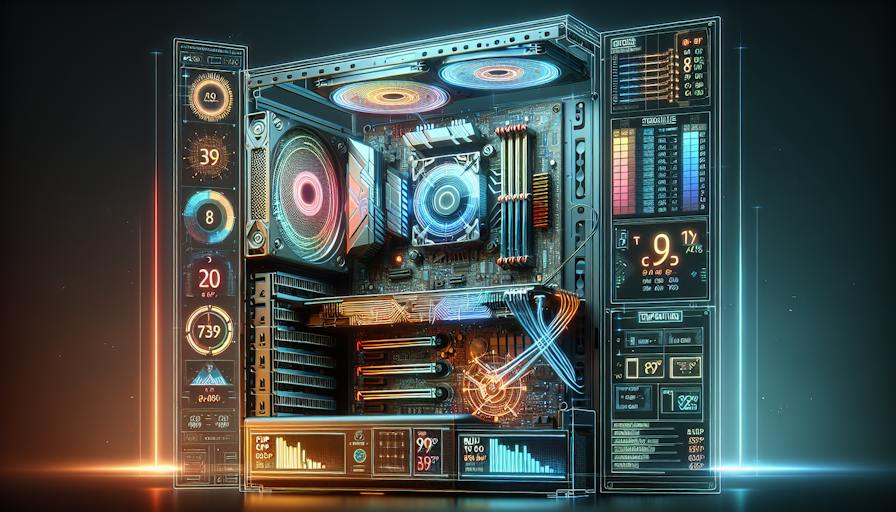
Gaming PC Temperature Basics
Maintaining the right temperature is crucial for the performance and longevity of a gaming PC. Understanding the optimal temperature range and the consequences of overheating helps gamers and PC builders ensure their systems run efficiently.
Understanding Optimal Temperature
The ideal temperature range for a gaming PC typically falls between 21-24 degrees Celsius (70-75 degrees Fahrenheit). This temperature range helps prevent overheating and supports optimal performance during gaming sessions.
| Component | Optimal Temperature Range (°C) |
|---|---|
| CPU | 30-70 |
| GPU | 30-85 |
| Motherboard | 30-60 |
| Hard Drive / SSD | 30-60 |
By staying within these temperature ranges, gamers can ensure their components function properly without experiencing performance drops or damage.
Impact of Overheating
Overheating can lead to a variety of issues, mainly performance loss, internal component damage, or even data loss. An overheating CPU can particularly trigger mechanisms that reduce performance to prevent damage (Intel).
A CPU temperature of 80-85°C or higher is considered too hot and should be addressed to ensure safe operational conditions (Avast). The table below outlines some issues associated with overheating components:
| Problem | Description |
|---|---|
| Performance Loss | Throttling occurs, lowering gaming performance. |
| Internal Component Damage | Prolonged high temperatures can harm hardware. |
| Data Loss | Excessive heat can cause data corruption. |
It is essential to monitor the temperature of key components using tools like Core Temp or the BIOS/UEFI settings. Proactively managing gaming PC temperature can help prevent these issues and maintain the gaming experience. Implementing adequate cooling solutions through products like gaming PC cooling fans or gaming PC cooling pads will further enhance performance and longevity.
Managing CPU Temperature
Monitoring and managing CPU temperature is critical for maintaining optimal performance in a gaming PC. Understanding thermal management principles and controlling CPU performance can significantly help prevent overheating issues.
Importance of Thermal Management
Thermal management within a gaming PC is vital to ensure that components run efficiently without overheating. Overheating can lead to performance degradation since excessive heat can trigger protective mechanisms that reduce performance to prevent damage. For instance, Intel CPUs incorporate robust thermal management features that adjust their operating frequencies to lower power when cooling is insufficient.
To prevent these issues, it is essential to focus on:
- Proper airflow management: This includes the arrangement of intake and exhaust fans, controlling fan speed, and maintaining positive air pressure within the case (Intel).
- Correct thermal paste application: Ensuring the appropriate amount of thermal paste is applied can greatly enhance heat transfer from the CPU to the cooler.
- Regular monitoring: Use tools like Intel XTU to keep track of CPU temperatures and diagnose potential cooling issues (Intel).
Controlling CPU Performance
Users have the ability to modify CPU performance through techniques like overclocking and underclocking. These methods affect the voltage supplied to the CPU, thereby impacting both speed and heat generation.
| Method | Description | Impact on Temperature |
|---|---|---|
| Overclocking | Increasing voltage to improve processor speed. | Generates more heat. |
| Underclocking | Decreasing voltage to lower speed for power savings. | Reduces heat generation. |
Overclocking is often pursued for better performance in gaming and other demanding applications, while underclocking may be preferred for energy efficiency or to achieve lower temperatures during less intensive tasks. Proper thermal management strategies should always be in place to support these adjustments and maintain stable performance levels, making it vital for any gamer or builder to understand the gaming pc temperature management principles.
By implementing effective thermal strategies and precisely controlling CPU performance, users can significantly enhance their gaming experiences and prevent overheating issues in their systems. For more insights on ensuring optimal gaming conditions, check out our related articles on gaming pc overheating solutions and gaming pc cooling tips.
GPU Cooling Solutions
Effective GPU cooling is essential in maintaining an optimal gaming PC temperature. Gamers and PC builders can choose between built-in solutions, after-market options, and custom setups to ensure their systems run efficiently and remain cool under pressure.
Built-in vs. Aftermarket Cooling
Most graphics processing units (GPUs) come equipped with built-in cooling solutions designed to manage heat generation during intense gaming sessions. These stock coolers are typically sufficient for standard gaming but may not provide the best cooling performance for overclocking or heavy usage.
Aftermarket cooling options present an upgrade path for advanced users seeking enhanced thermal management. These can include liquid cooling blocks and custom air coolers that improve heat dissipation and overall performance.
| Cooling Type | Description | Advantages |
|---|---|---|
| Built-in Cooling | Stock cooler that comes with the GPU. | Cost-effective; typically adequate for average gaming. |
| Aftermarket Air Coolers | Enhanced air coolers designed for better airflow. | Improved cooling performance; quieter operation. |
| Liquid Cooling Systems | Liquid cooling loops designed to absorb and dissipate heat effectively. | Superior cooling capabilities; often quieter than air cooling. |
Custom Cooling Options
Custom cooling solutions allow users to tailor their GPU cooling to their specific needs. These options include tailored liquid cooling setups and advanced air cooling configurations that can significantly enhance a GPU's thermal efficiency.
Liquid cooling systems usually involve a pump, reservoir, radiator, and flexible tubing to carry coolant from the GPU through a radiator where it dissipates heat. This method can lead to lower temperatures and quieter performance, making it ideal for high-performance gaming PCs.
Custom air coolers are also highly effective and often come with large heatsinks and multiple fans to maximise airflow around the GPU. Proper airflow management is crucial to maintaining low temperatures; ensuring that cool air enters the case while hot air is expelled prevents hot spots and keeps components operating efficiently.
For a robust thermal management solution, users should consider implementing a combination of aftermarket cooling options and regular maintenance practices. This can ensure optimal performance, prolong the lifespan of components, and mitigate overheating issues. For more on maintaining the right temperature for your rig, check our guide on gaming pc temperature management.
Preventing PC Overheating
Maintaining optimal temperatures in a gaming PC is essential for ensuring longevity and performance. Here are several strategies to prevent overheating, focusing on airflow management and the implications of overclocking.
Airflow and Component Maintenance
Proper airflow management within a gaming PC case is vital for preventing overheating. The arrangement of intake and exhaust fans, as well as their speeds, plays a crucial role in maintaining the ideal temperature. Positive air pressure helps control dust buildup and keeps all system components cool. Regular maintenance, such as cleaning components and replacing dust filters, is advisable every 3-6 months to ensure uninterrupted airflow and optimal performance.
| Component | Maintenance Tips |
|---|---|
| Intake Fans | Ensure fans are dust-free and unobstructed. Consider replacing with high-performance models. |
| Exhaust Fans | Regularly check filters and clear any blockages to enhance air circulation. |
| Dust Filters | Clean or replace to prevent dust accumulation on internal components. |
Monitoring CPU temperatures with tools such as Intel XTU is essential to diagnose any potential cooling issues. This ensures timely corrections can be made to prevent overheating. For more details, explore our guidelines on gaming pc temperature control.
Risks of Overclocking
Overclocking can significantly increase CPU heat generation and, if not managed properly, may lead to system failure. Without appropriate cooling measures, overclocking can push components beyond their thermal limits. It is crucial to invest in a high-quality heatsink or CPU cooling setup to handle the additional heat that comes with increased performance.
| Overclocking Considerations | Recommendations |
|---|---|
| Increased Heat | Ensure upgraded cooling systems are in place. |
| Thermal Paste Application | Apply thermal paste correctly for maximum heat transfer. |
| Monitoring | Use software to keep track of component temperatures during gaming sessions. |
Without proper thermal management, overheating components can lead to performance throttling as mechanisms kick in to prevent damage. For additional strategies and recommendations, check out our article on gaming pc overheating solutions.
By understanding the importance of airflow management and the risks associated with overclocking, users can take proactive steps to ensure their gaming PC remains within optimal temperature ranges.


